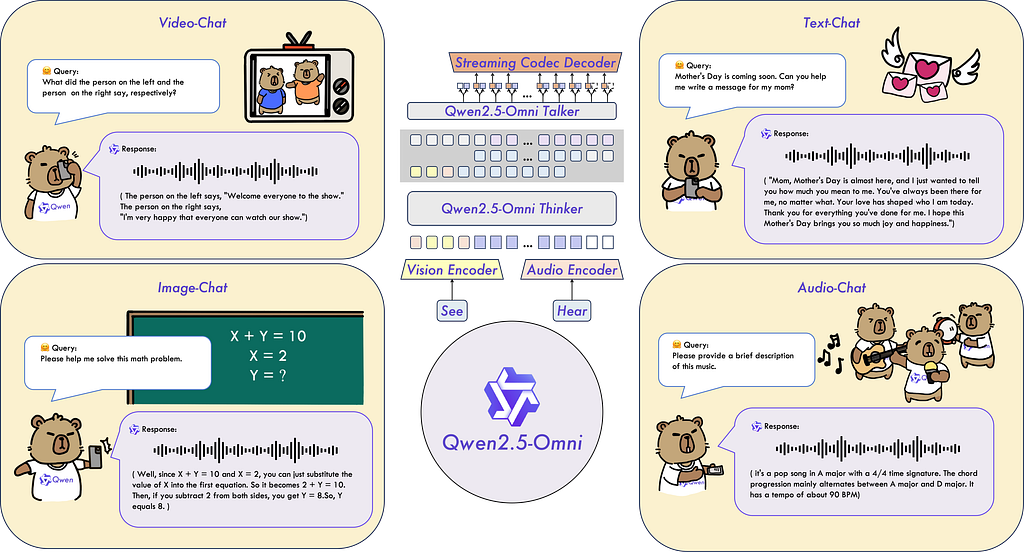
In the Generative AI (GenAI) era, Large Language Models (LLMs) are no longer confined to text. Multimodal models like Qwen2.5 Omni bridge the gap between text, images, audio, and videos, enabling AI to think, see, hear, and speak — like us humans.
Why Multimodality Matters
Ubiquity of Multimodal Data: 90% of internet traffic is visual/audio content (e.g., TikTok videos, podcasts).
Human-Like Interactions: Users expect AI to process mixed inputs (e.g., a photo and a voice query).
Industry Disruption: From healthcare diagnostics to e-commerce, multimodal AI is the new standard.
Qwen2.5 Omni: Designed for Comprehensive Multimodality
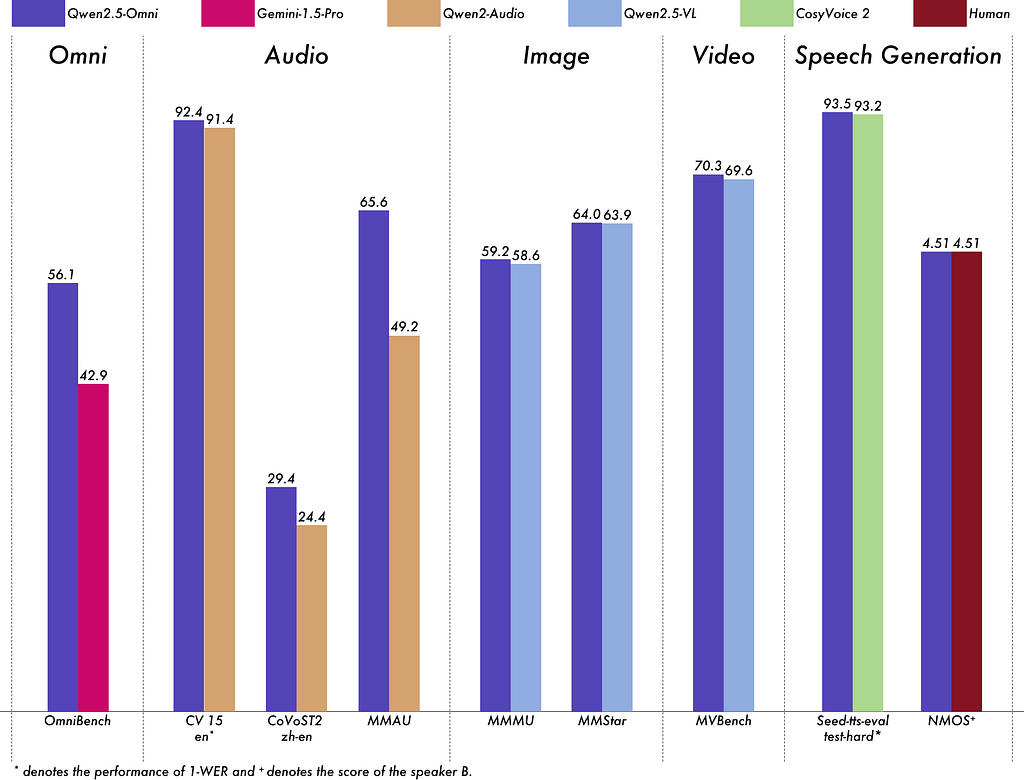
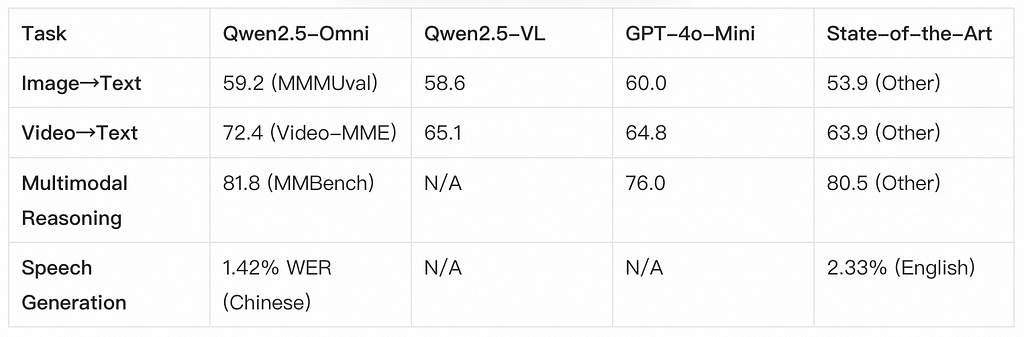
Far Beyond Text: While LLMs like Qwen2.5-VL excel in text and images, Qwen2.5 Omni adds audio/video streaming, as a leap into full-sensory AI.
Unified Architecture: Unlike siloed tools, Qwen2.5 Omni is a single model for input/output across modalities.
Understanding Qwen2.5 Omni: The Technical Edge
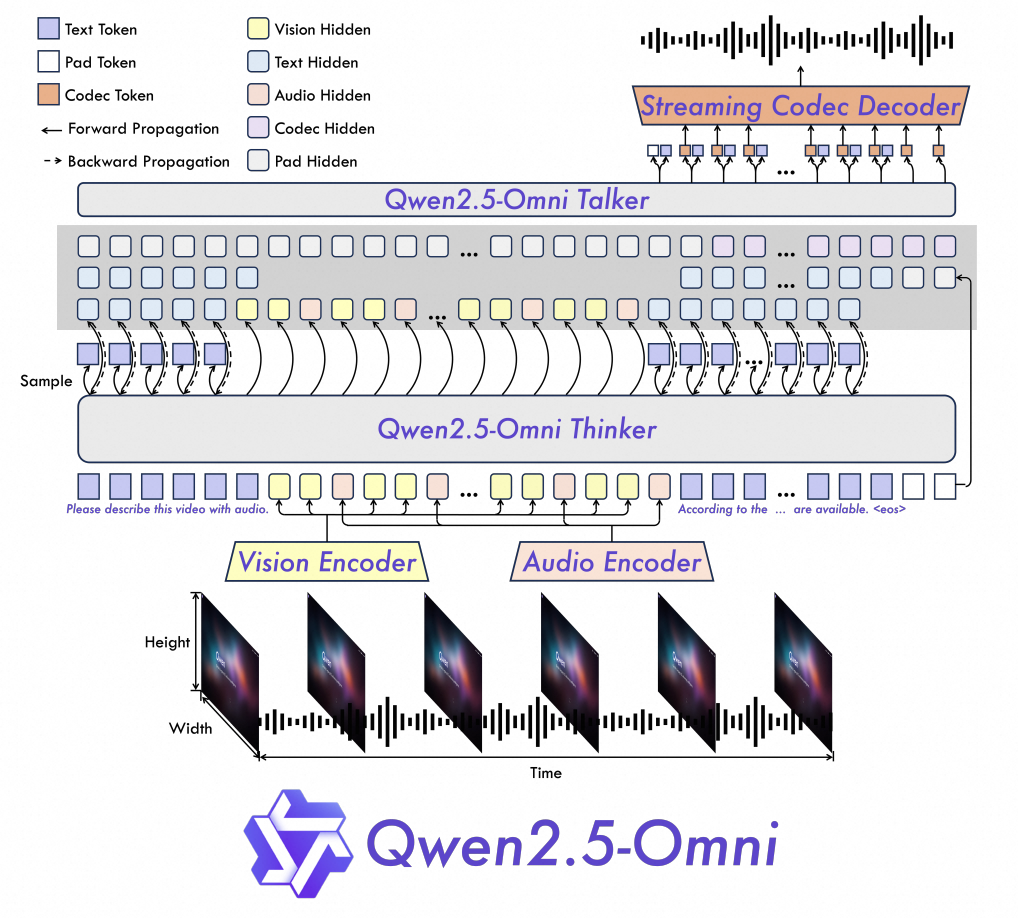
Overview of Thinker (text/audio/video processing) and Talker (speech generation) modules
Key Innovations from the Technical Report
Overview of Qwen2.5-Omni with the Thinker-Talker architecture
TMRoPE Positional Encoding:
Time-aligned Multimodal RoPE ensures audio and video frames are processed in sync (e.g., lip-syncing in videos).
Interleaved Chunking divides a video into 2-second blocks, combining visual/audio data to reduce latency.
2. Thinker-Talker Architecture:
Thinker: An LLM for text generation and reasoning.
Talker: A dual-track model for real-time speech generation, reducing audio latency by 40% compared to Qwen2-Audio.
3. Streaming Efficiency:
Block-wise Encoding processes audio/video in chunks, enabling real-time inference.
Total Tokens: Respect the model’s 32k token limit (text + image/audio embeddings).
2. Optimize for Streaming:
Use Alibaba Cloud’s OSS for large files.
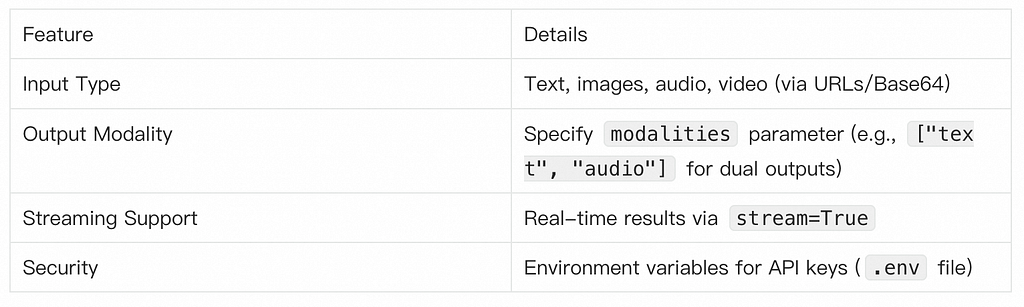
Enable stream=True for real-time outputs.
Conclusion: The Future is Multimodal
As GenAI evolves, multimodal capabilities will dominate industries from healthcare to entertainment. By mastering Qwen2.5 Omni, you’re entering the next era of human-AI collaboration.
Start experimenting today and join the revolution!